
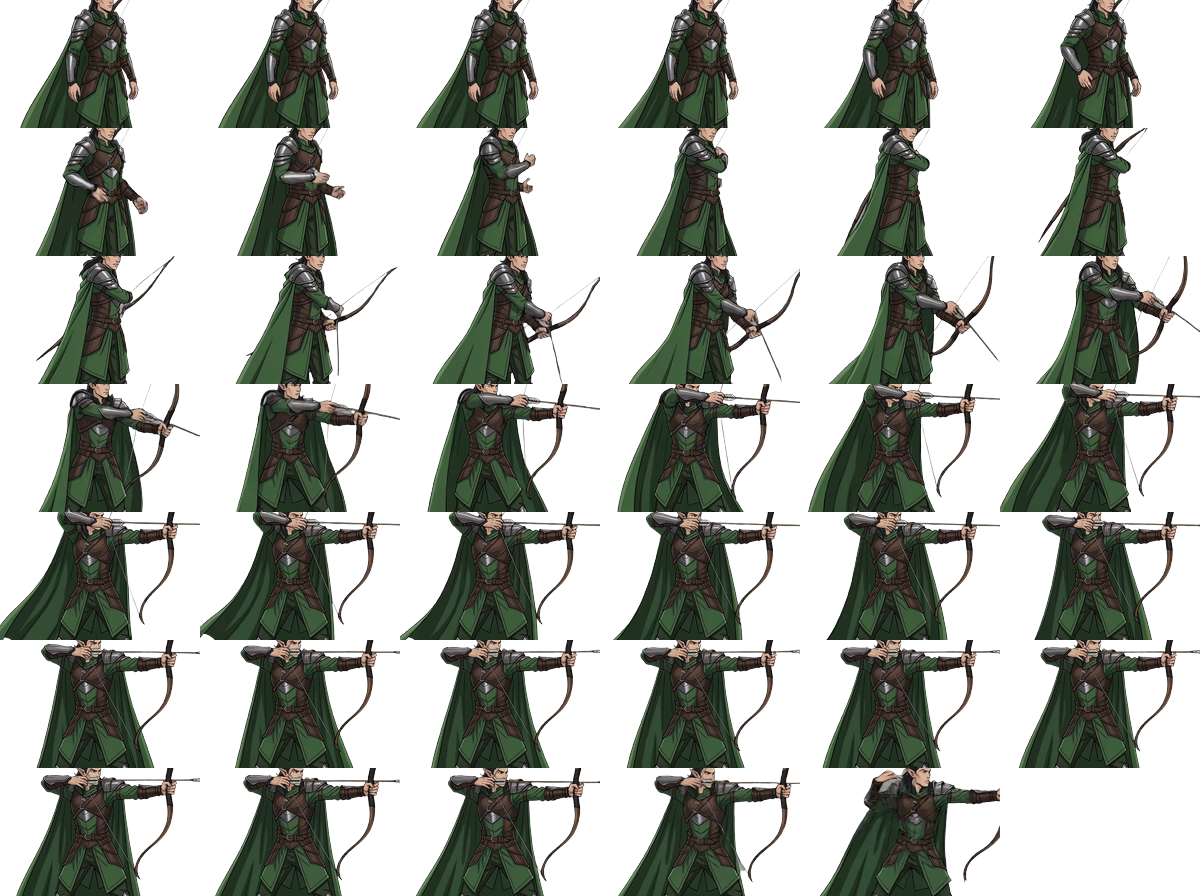
Video → Game Sprite Sheet: Fantasy Hero Animation Pipeline
The Pipeline
Turn a character concept into an engine-ready transparent sprite sheet — no manual frame export, no manual cropping, no green-screen keying by hand.
Step 1 — Pose Reference   (nanobanana)
         ↓  hero_base.png
Step 2 — Animate          (kling)
         ↓  hero_run.mp4 / hero_jump.mp4 / hero_attack.mp4
Step 3 — Sprite Sheet     (gamedev_convert_video_to_sprite_sheet)
         ↓  sprite_run.png / sprite_jump.png / sprite_attack.png
Built end-to-end on a fantasy platformer hero — an elf ranger, animated through run / jump / attack.
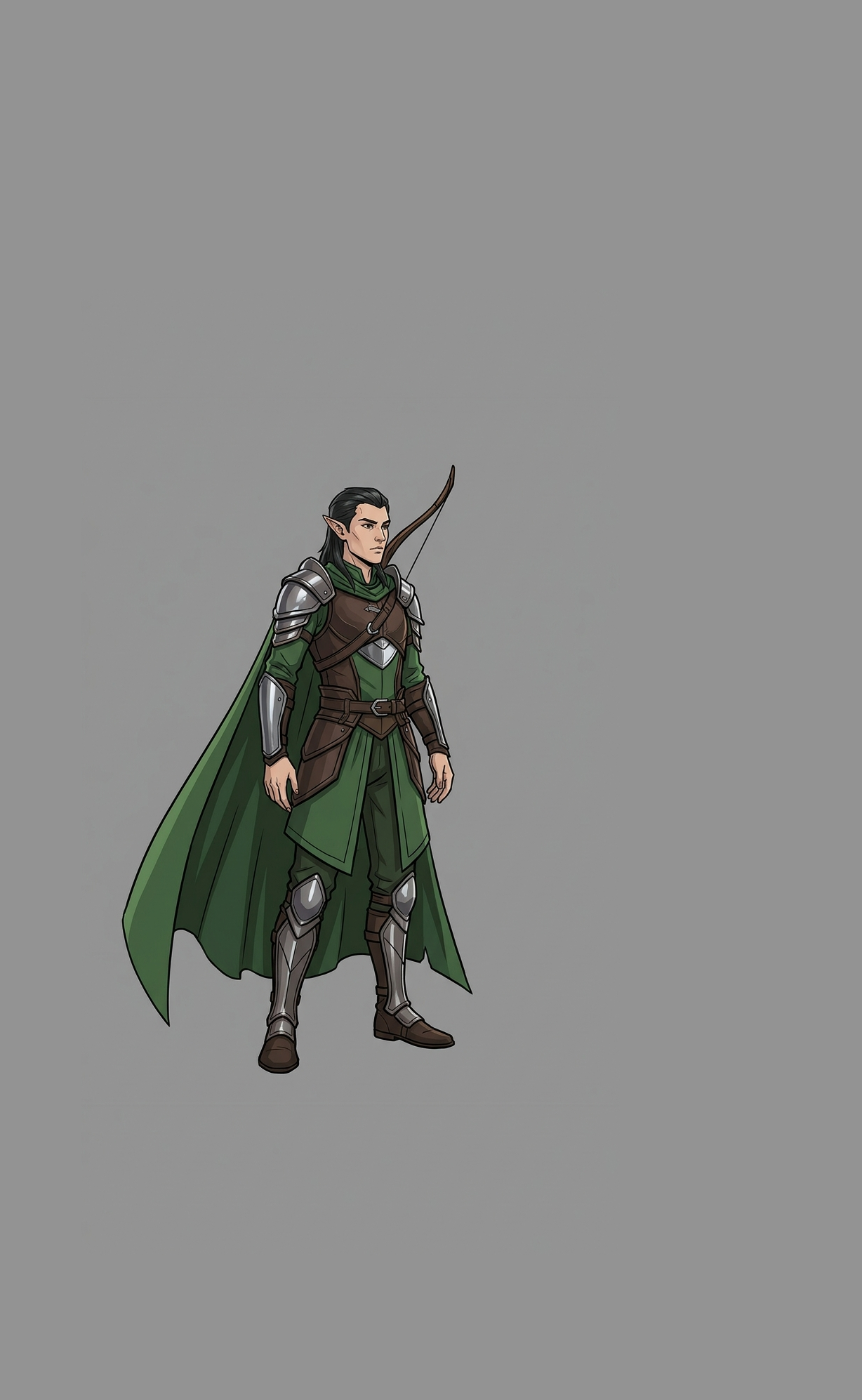
Step 1 — Pose Reference (Nanobanana)
UTILITY: nanobanana
WIDTH: 1024
HEIGHT: 1820
ASPECT_RATIO: 9:16
RESOLUTION: 1K
VERSION: pro
PROMPT: |
  Fantasy platformer video game hero: armored elf ranger, lightweight
  leather-and-steel armor, long flowing cape, bow slung on back,
  full body, standing ready-to-move stance, three-quarter side view
  facing right. Flat solid neutral mid-gray studio background, even
  soft studio lighting, no ground shadow clutter.
  Clean stylized video-game concept-art rendering, sharp linework,
  forest green cape, dark leather brown, steel gray armor accents.

  IMPORTANT FRAMING: character occupies only the CENTER ~65% of the
  canvas height and ~55% of canvas width. Leave generous empty gray
  margin on all four sides so the character can move, jump, and swing
  weapons/cape freely in a follow-up animation.
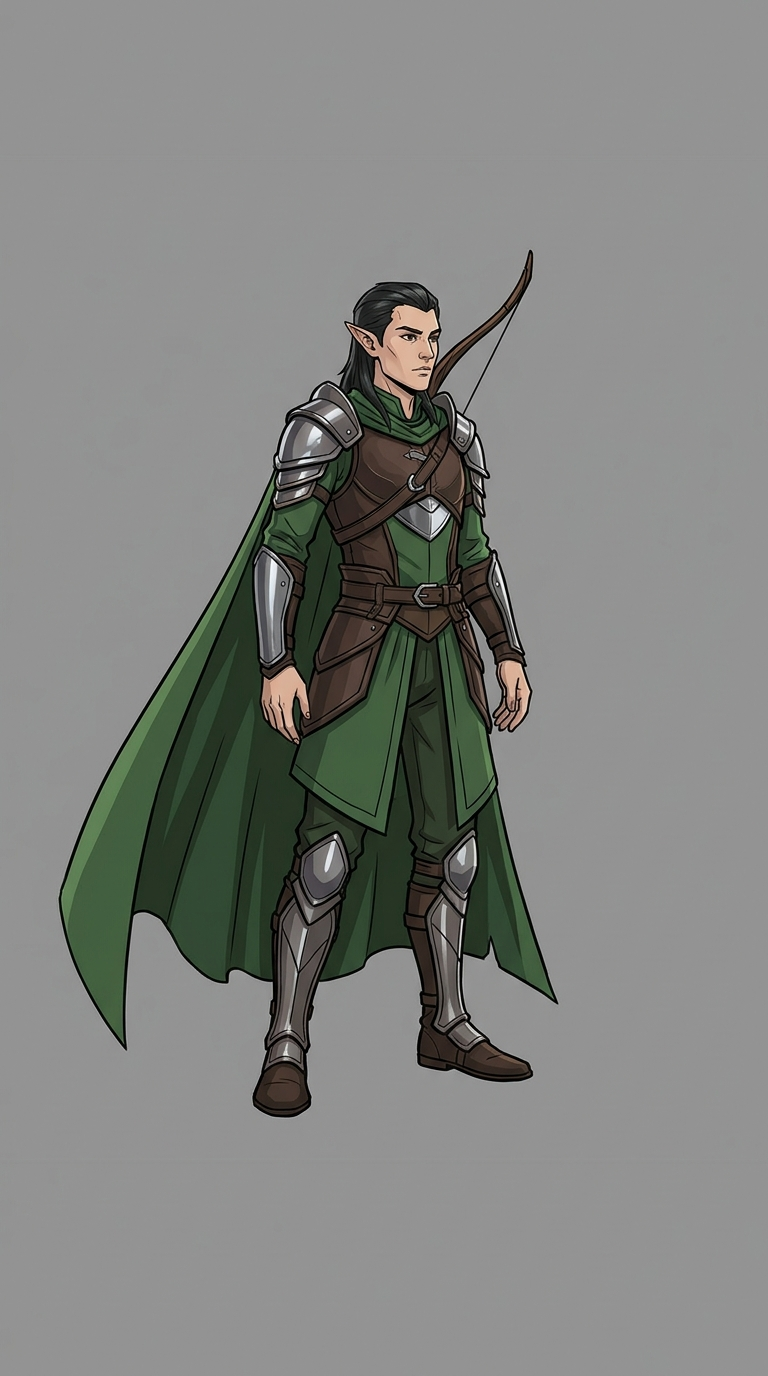
Key requirement: flat, plain background — gives the removal model (bria) a clean edge to key out later.
Margin is a generation-stage setting, not a crop-stage one. AUTOCROP_PADDING (step 3) only crops smarter around pixels that already exist — it can’t recover motion that got clipped during animation. The IMPORTANT FRAMING instruction above reserves real empty space up front so the character has room to swing a cape or extend a limb without hitting the frame edge.
Per-animation reference variants
Different animations need different amounts of margin in different directions — a running bounce needs headroom/footroom, a bow draw needs forward clearance, a jump needs extra room on both sides for the landing motion. Rather than re-prompting nanobanana for a “smaller” or “wider” version of the character (risks the model drifting hair color, face shape, or props), pad the same base image deterministically:
expand hero_base.png #939393 35%,5%,35%,0    hero_jump_ref.png
expand hero_base.png #939393 10%,25%,10%,25% hero_run_ref.png
expand hero_base.png #939393 15%,30%,45%,15% hero_attack_ref.png
(left,top,right,bottom margins, sampling the exact background gray first.) Zero AI involved — pixel-identical character, just more empty canvas around it. Use each padded variant as the Kling source image for its matching animation.
Base
identity anchor
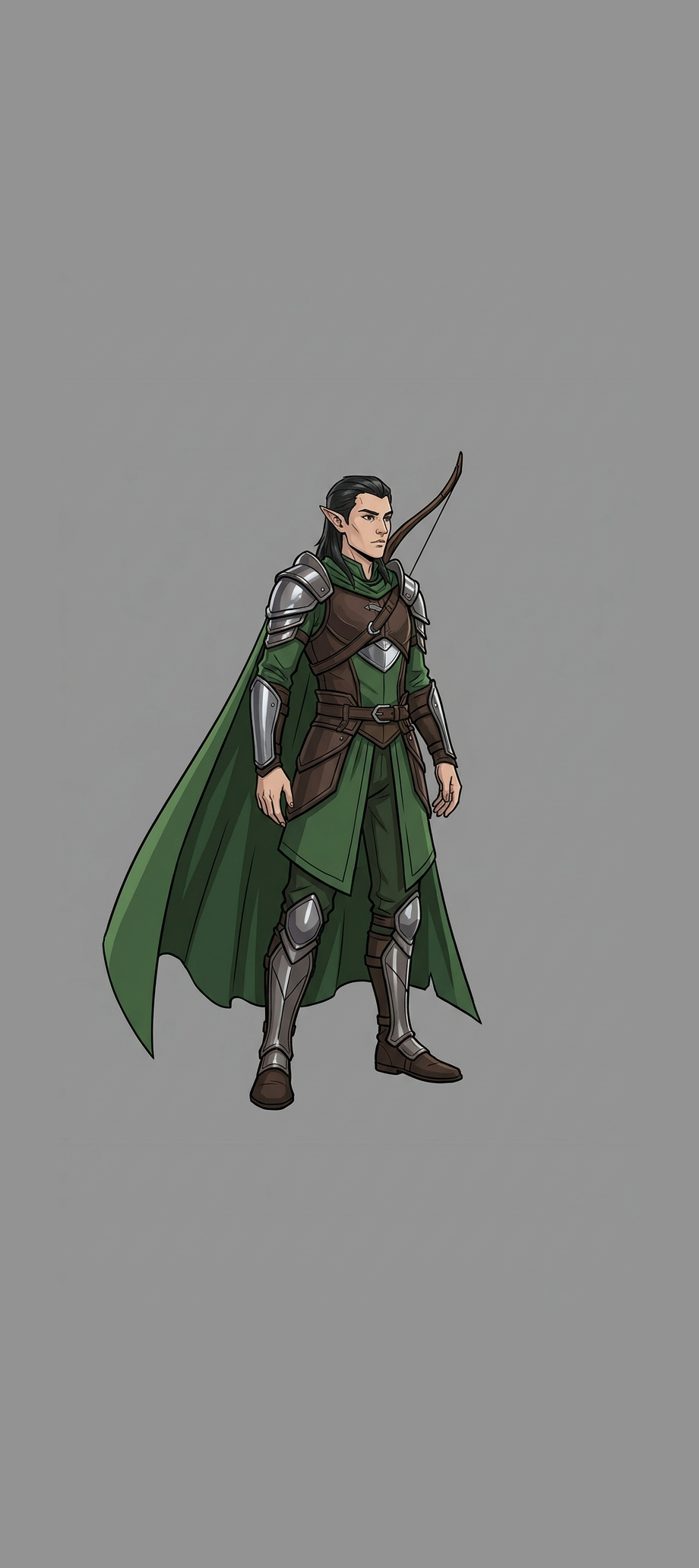
Run ref
+top/bottom margin
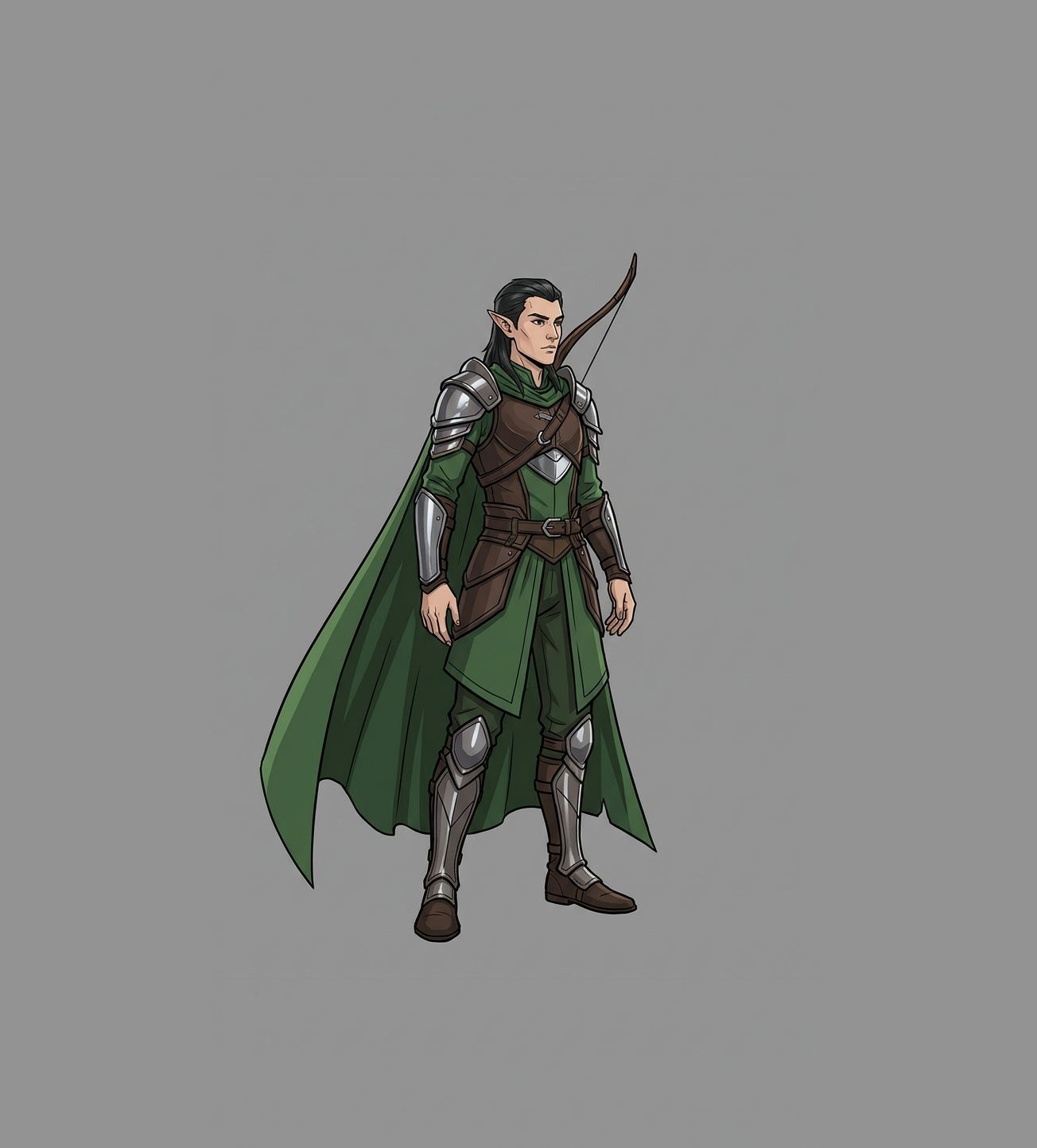
Jump ref
+left/right margin
Attack ref
+forward/top margin
Step 2 — Animate (Kling)
UTILITY: kling
MODE: video_generation
IMAGE_URL: resources/images/hero_run_ref.png
FILES: resources/images/hero_run_ref.png
PROMPT: |
  The elf ranger runs in place at a steady sprint, full running cycle,
  arms and legs pumping, cape flowing behind, camera locked static,
  character stays centered, background unchanged flat gray. Keep the
  entire body, cape, and bow fully inside the frame at all times.
NEGATIVE_PROMPT: camera movement, background change, zoom, pan, blurry
QUALITY_MODE: pro
DURATION: 5
ASPECT_RATIO: 1:1
CREATIVITY: 0.4
Repeat per animation — PROMPT, source ref image, and ASPECT_RATIO all matter:
| Clip | Prompt delta | Source ref | Aspect ratio |
|---|---|---|---|
| Run | steady sprint cycle | hero_run_ref.png | 1:1 |
| Jump | crouch → leap → tuck → land | hero_jump_ref.png | 1:1 |
| Attack | draw bow → release | hero_attack_ref.png | 1:1 |
Match ASPECT_RATIO to the sprite tile shape. A square sprite tile needs a square (1:1) source video. A vertical 9:16 clip gets center-cropped to a square before autocrop runs in step 3 — silently chopping equal slices off the top and bottom of every frame (or a wide-reaching limb), regardless of padding. Render square from the start if the tile is square.
Step 3 — Convert to Sprite Sheet (gamedev_convert_video_to_sprite_sheet)
UTILITY: video_background_removal
VIDEO-INPUT: resources/video/hero_run.mp4
FILE: sprites/hero_run.webm          # alpha VIDEO output — matches OUTPUT_CONTAINER_AND_CODEC
MODEL: bria
BACKGROUND_COLOR: Transparent
OUTPUT_CONTAINER_AND_CODEC: webm_vp9  # alpha-capable — mp4_h264 does NOT carry alpha
PRESERVE_AUDIO: false
AUTOCROP: true
AUTOCROP_PADDING: 32
MAKE_SPRITE_SHEET_FILE: sprites/hero_run.png   # the sprite sheet — separate output, separate field
SPRITE_TILE_SIZE: 128x128
SPRITE_FRAME_STEP: 4
Same call, three times — one per animation, with AUTOCROP_PADDING and SPRITE_TILE_SIZE tuned per clip (the attack tile is widened to fit the bow’s forward reach):
Final Assets
| Animation | Sprite sheet | Tile size | Autocrop padding |
|---|---|---|---|
| Run | 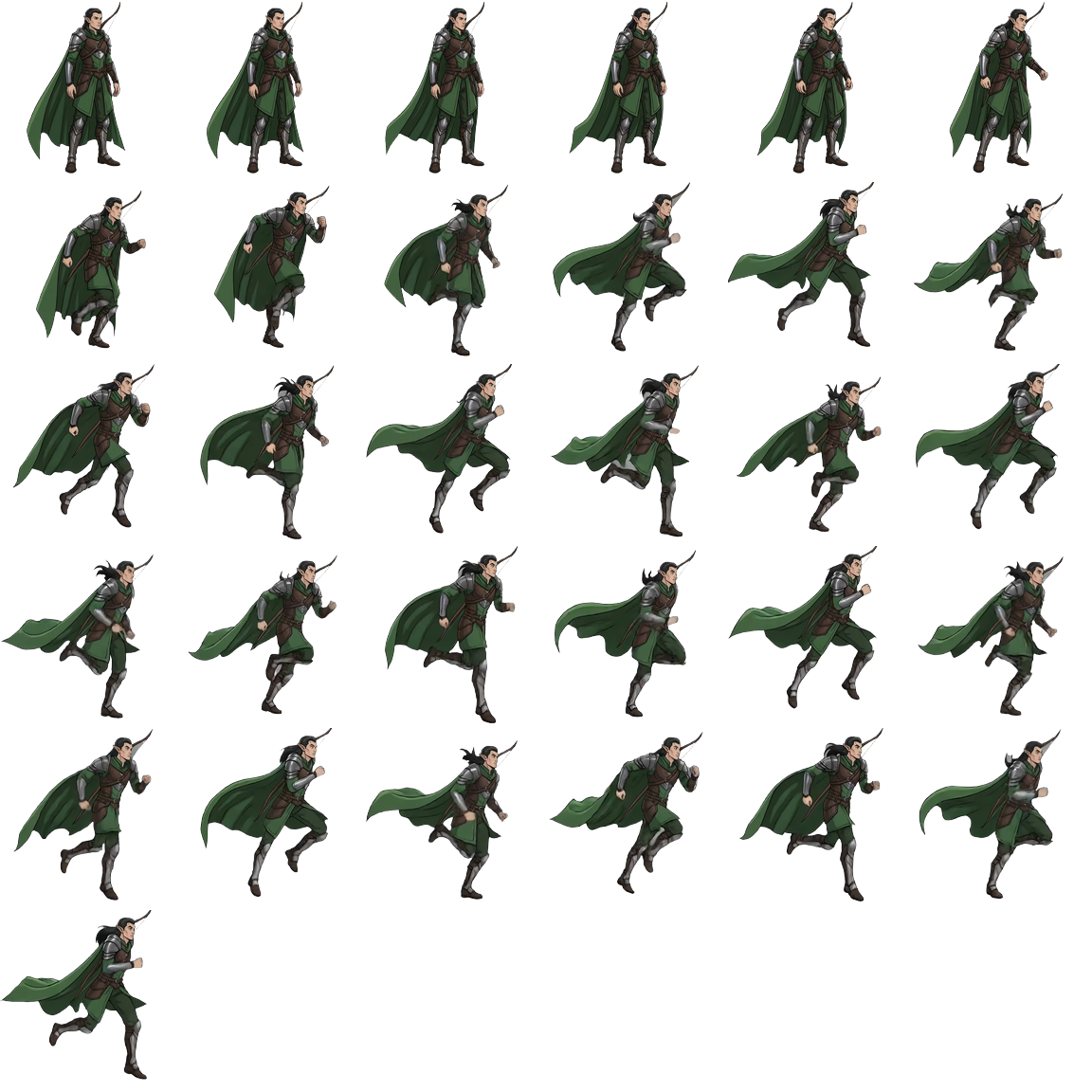 | 192×192 | 84 |
| Jump | 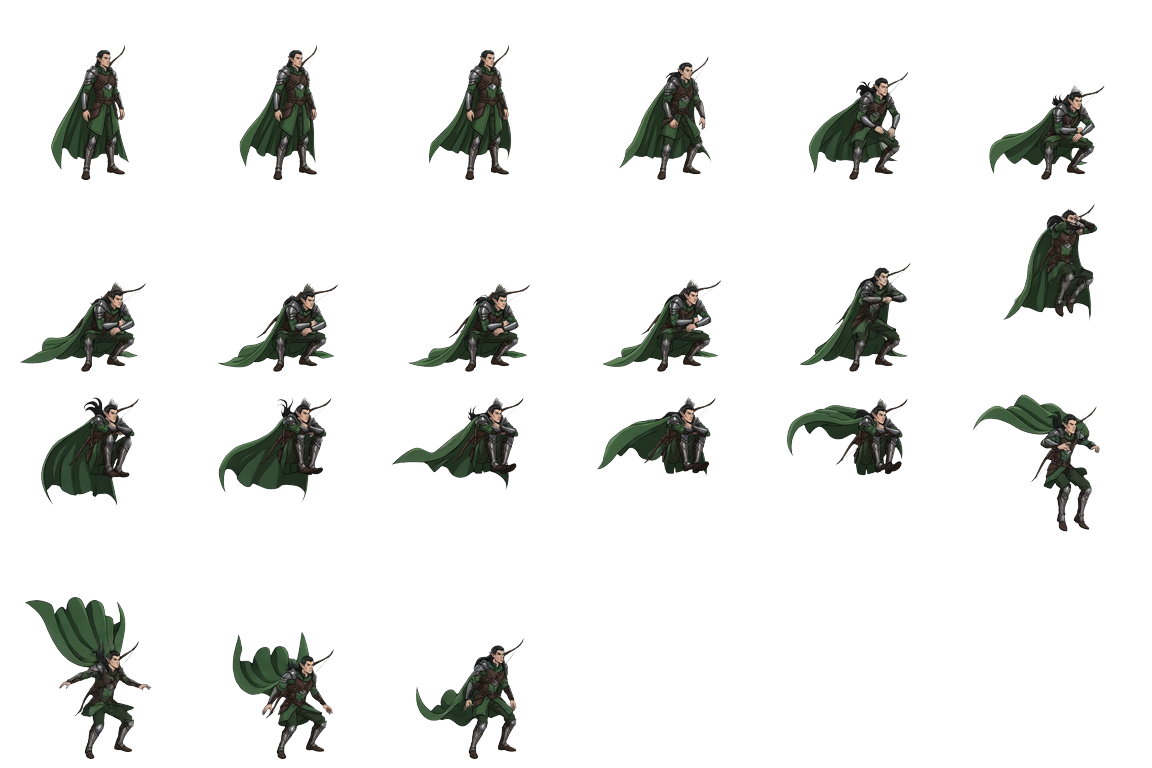 | 192×192 | 48 |
| Attack | 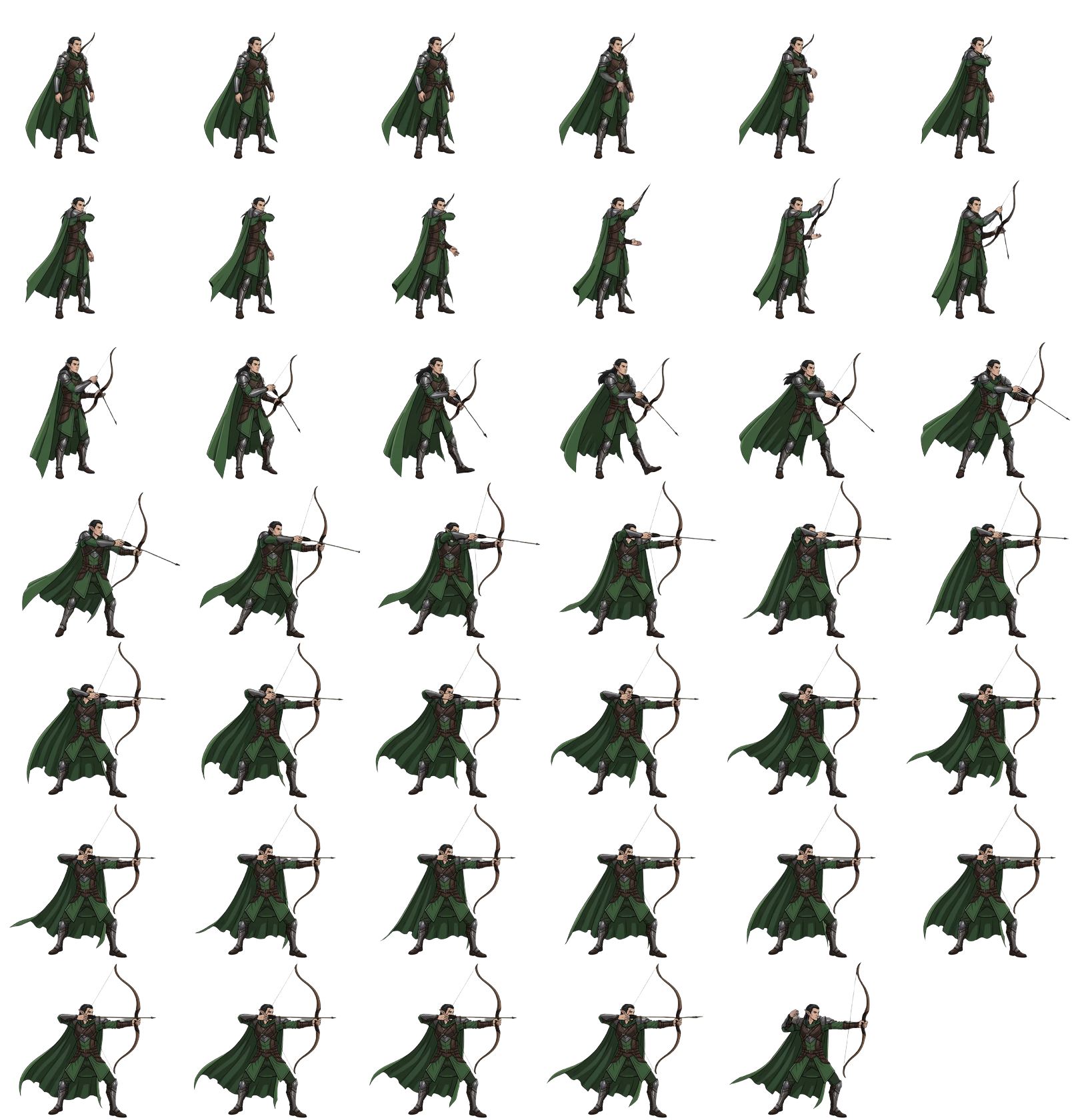 | 270×240 (widened for bow reach) | 84 |
All three: real alpha transparency, stable autocrop (no per-frame jitter), no clipped limbs/cape/weapon — verified frame-by-frame, not just eyeballed on the final sheet. Drop straight into your engine’s animator state machine.
Live Demo
Dropped all three sheets into a small canvas.js demo — one hero, one forest background, cycling run → jump → attack on loop.
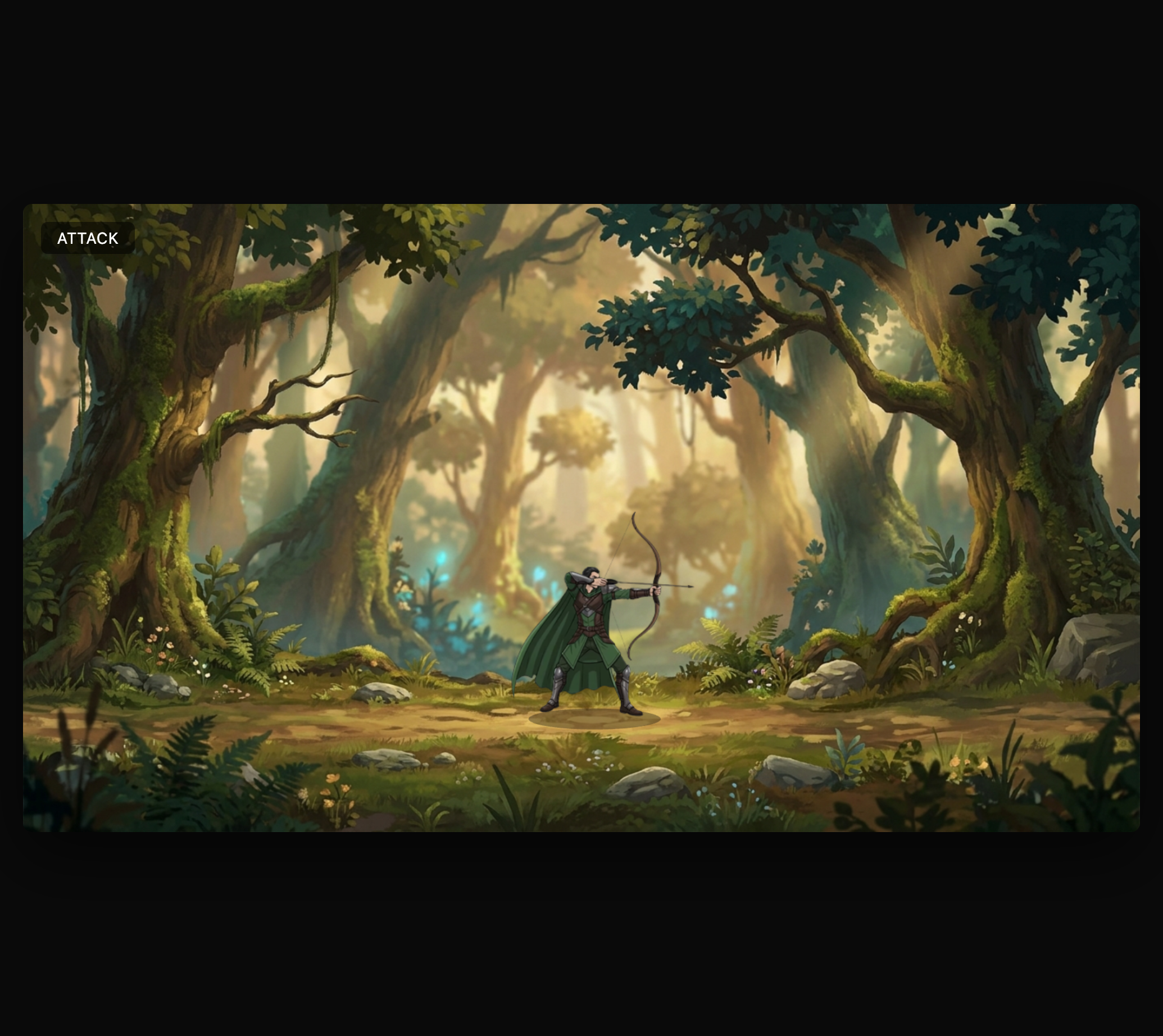
▶ Open the live demo — /posts/video-to-sprite-sheet-pipeline/demo/index.html
Per-state scale & offset — each sheet has a different amount of empty autocrop padding baked around the character, so a flat draw size/position doesn’t read consistently. Two small per-state fields fix it:
scale— multiplier on top of a shared base draw scale, compensates for how much padding each sheet carries (attack is tightest, jump/run have more)offsetX/offsetY— small pixel nudge (in source-tile units, applied after scale) to re-center the character within its tile and re-anchor its feet to the ground line, since the body doesn’t sit perfectly centered once padding differs per animation
Final tuned values:
| State | scale | offsetX | offsetY |
|---|---|---|---|
| Run | 0.76 | 0 | 5 |
| Jump | 1.05 | -5 | 10 |
| Attack | 0.75 | 15 | 0 |
const STATES = {
  run:    { ..., scale: 0.76, offsetX: 0,  offsetY: 5  },
  jump:   { ..., scale: 1.05, offsetX: -5, offsetY: 10 },
  attack: { ..., scale: 0.75, offsetX: 15, offsetY: 0  },
};
// applied in draw():
const dx = (canvas.width - drawW) / 2 + s.offsetX * effectiveScale;
const dy = canvas.height * GROUND_Y_FRACTION - drawH + s.offsetY * effectiveScale;
Same character height and same ground contact point across all three animations — no visible “pop” when switching states.
Key Learnings
- Bake margin in at generation, not crop time —
AUTOCROP_PADDINGonly crops smarter around existing pixels; it can’t recover motion that got clipped in the source video. Give the reference pose real empty space before animating. - Pad with pixels, not prompts, for per-animation margin variants — deterministically expanding a reference image’s canvas (flat-color background) is safer than re-prompting the model for “a smaller/wider version” of the same character. Re-prompting risks identity drift (wrong hair/prop colors, subtle face changes); canvas padding never does.
- Match source video
ASPECT_RATIOto the sprite tile shape — a square tile needs a square (1:1) source video. A vertical9:16clip gets center-cropped to a square before autocrop runs, silently chopping the top/bottom regardless of padding. - Alpha needs the right codec —
webm_vp9(ormov_proresks) carries alpha;mp4_h264/mp4_h265do not. Sprite sampling reads the alpha channel, so this isn’t optional. - Verify frame-by-frame, not just the final sheet — a sprite sheet can look clean tile-by-tile while still hiding an edge-touch that only shows up mid-motion.
FILEvsMAKE_SPRITE_SHEET_FILE—FILEis the alpha video output (matchesOUTPUT_CONTAINER_AND_CODEC),MAKE_SPRITE_SHEET_FILEis the sprite sheet PNG — two separate outputs from the same call.